New for AHSP 2027
The AHSP App
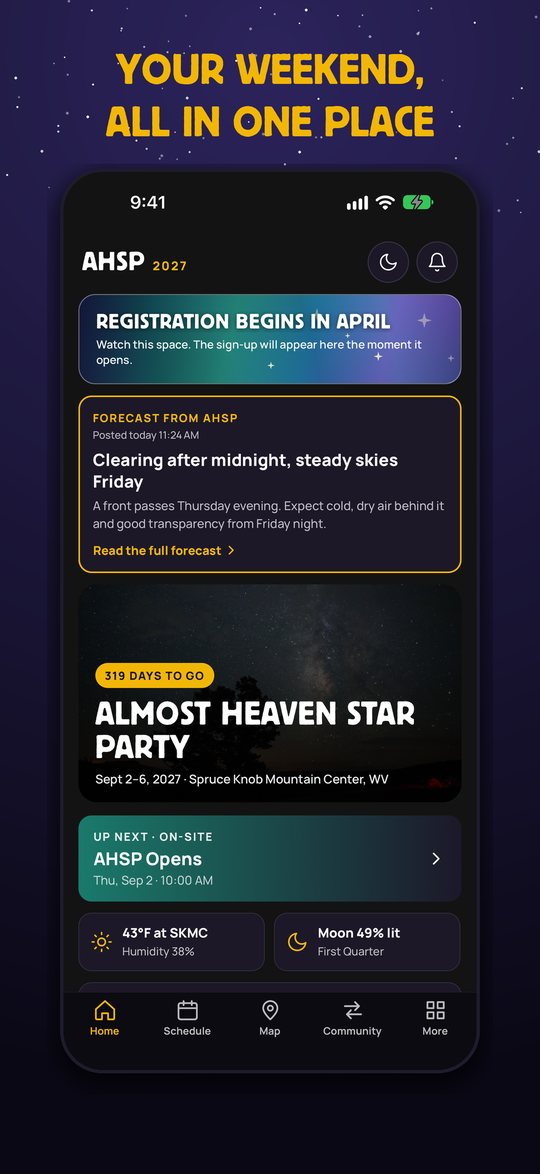
Your whole star party in your pocket: the schedule, the field map, a night sky forecast and the other observers, all in one place and built for a dark site with no cell signal.
Free. For iPhone. No account needed for the schedule, map and forecast.
On a computer? Point your iPhone camera at this code to open the app in the App Store.
What it does
Everything you would otherwise dig through the website, a paper schedule and three other apps to find.
The schedule
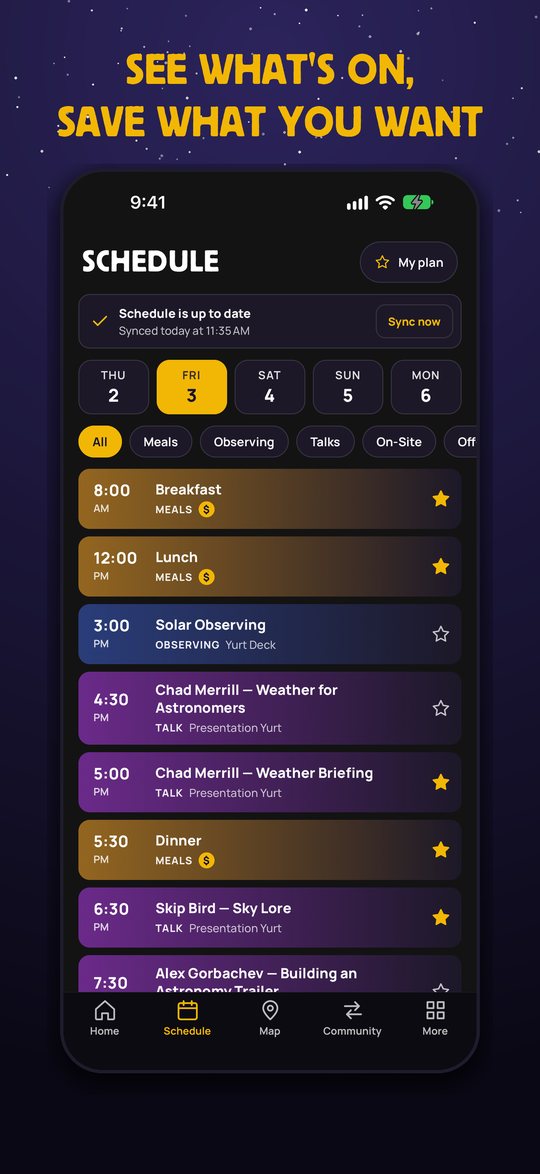
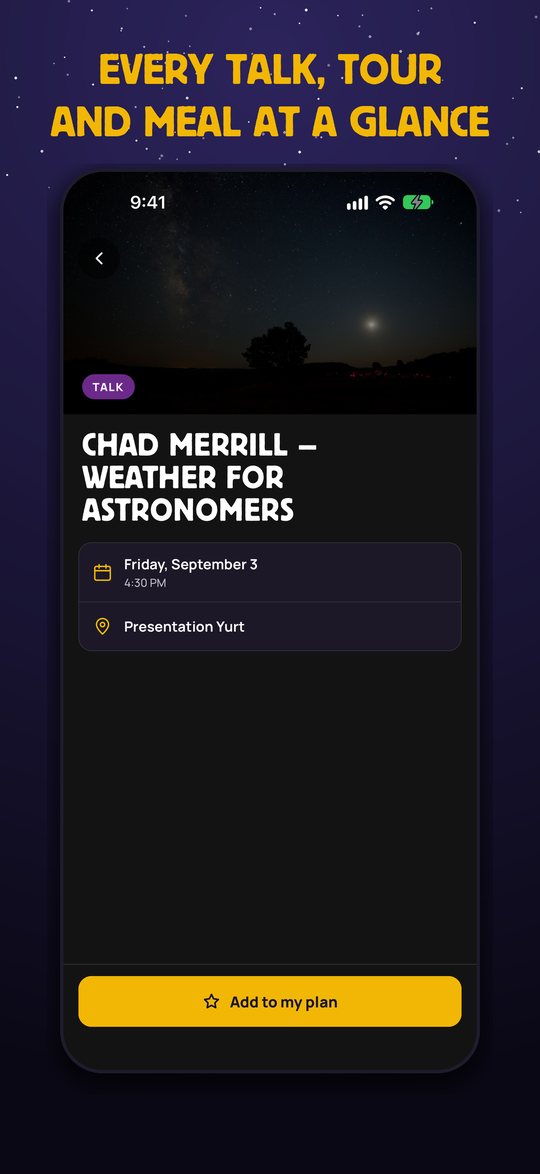
Every talk, meal and tour, day by day. Tap the star to build your own plan, and open any event for the time and place. It works offline.
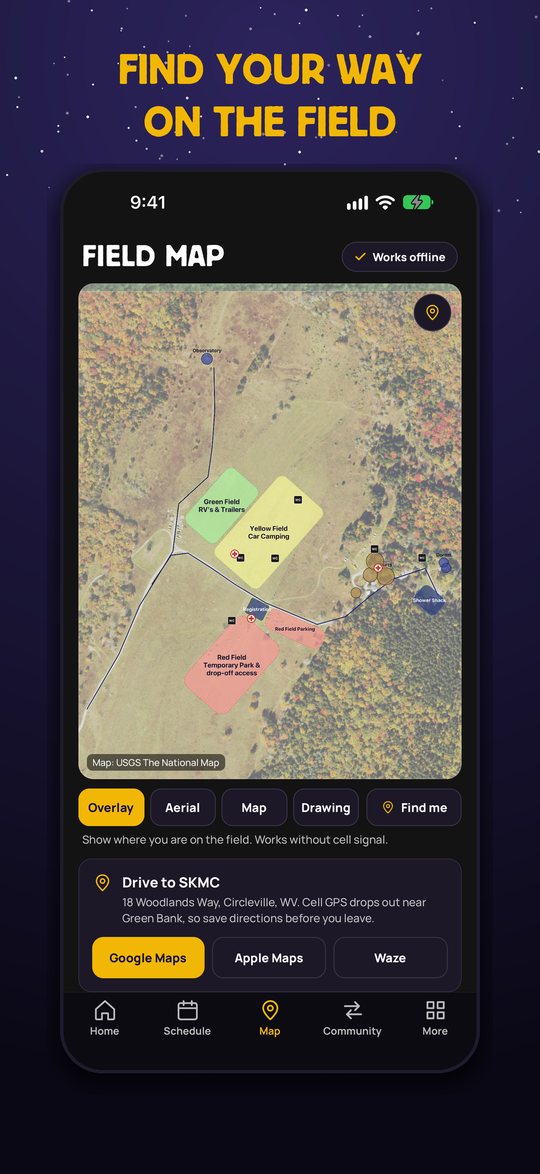
The field map
An aerial view of the site with the fields, yurts, registration, restrooms and first aid drawn on top. Tap Find me for your own dot; it uses your phone’s GPS, which needs no cell service.
The sky at Spruce Knob
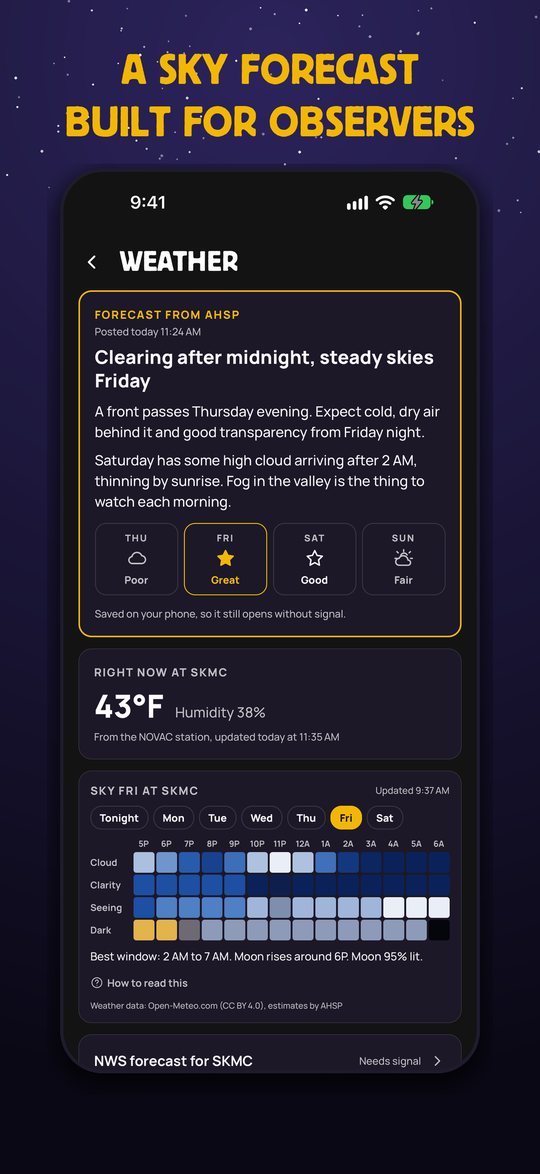
An hour-by-hour night strip for cloud cover, clarity (including smoke and haze), seeing and darkness, plus moonrise and moonset. Darker blue is better. Forecasts from NOVAC’s Chad Merrill and live readings from the on-site station.
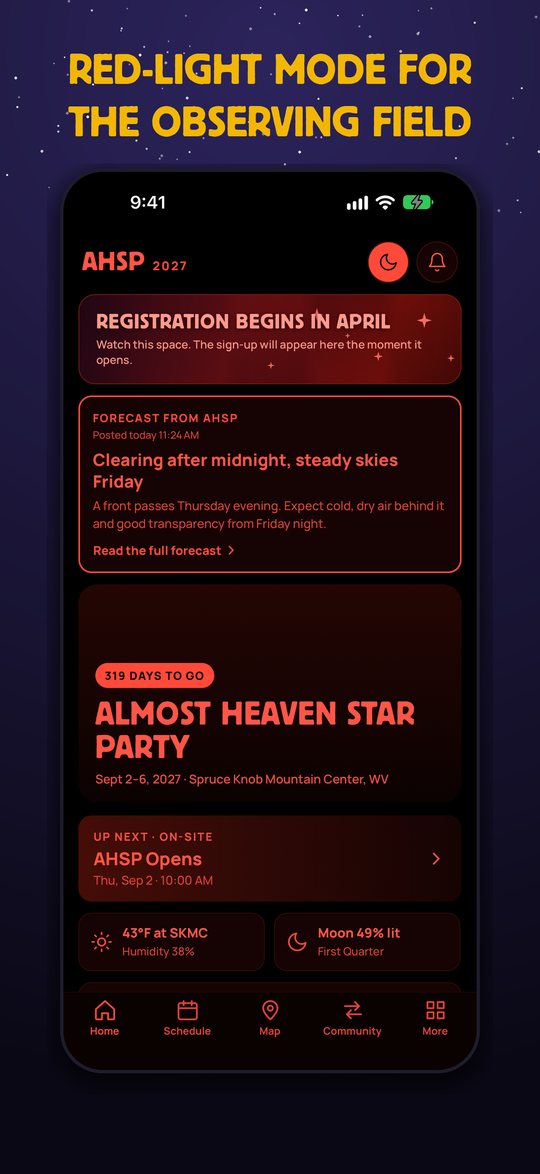
Red-light Night mode
One tap turns every screen dim red so your eyes stay dark-adapted at the eyepiece. Or let it follow your phone’s dark mode.
Alerts
Schedule changes, new speakers, announcements and forecasts. Choose what you want and set quiet hours so your phone stays dark while you observe. Emergency alerts always come through.
Know before you go
The food menu, planning tips, what to expect, observing advice, policies, FAQ, local attractions and the emergency plan are all saved on your phone and one tap away.
The attendee community
Sign in with the email you registered with and meet the people you will be observing next to.
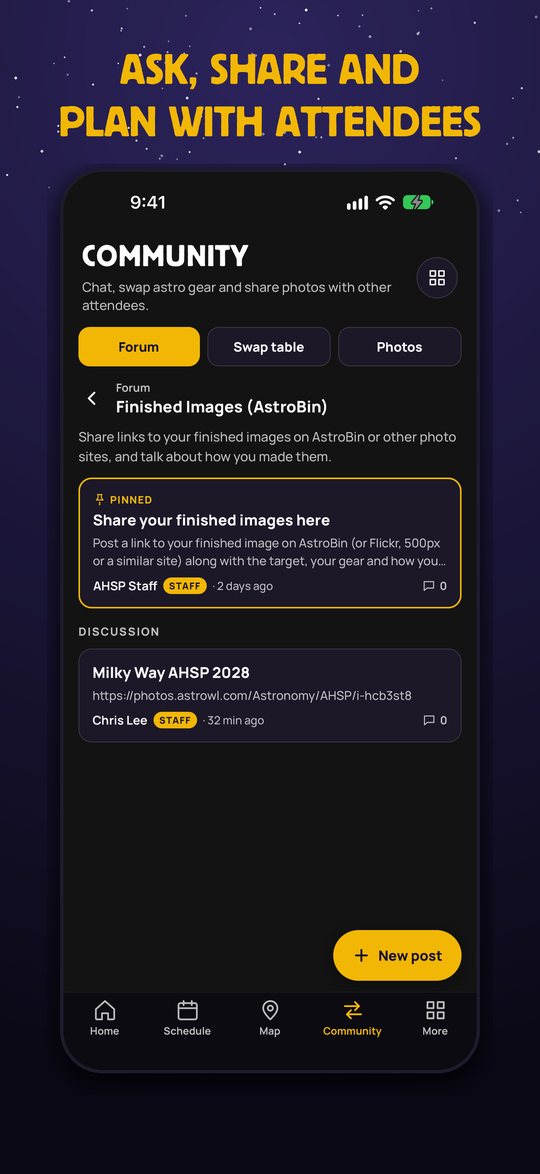
Forum
Ask questions, plan the weekend, join off-site trips, pool your frames in Collaborative Imaging and share links to your pictures in Finished Images. Staff pin the important posts.
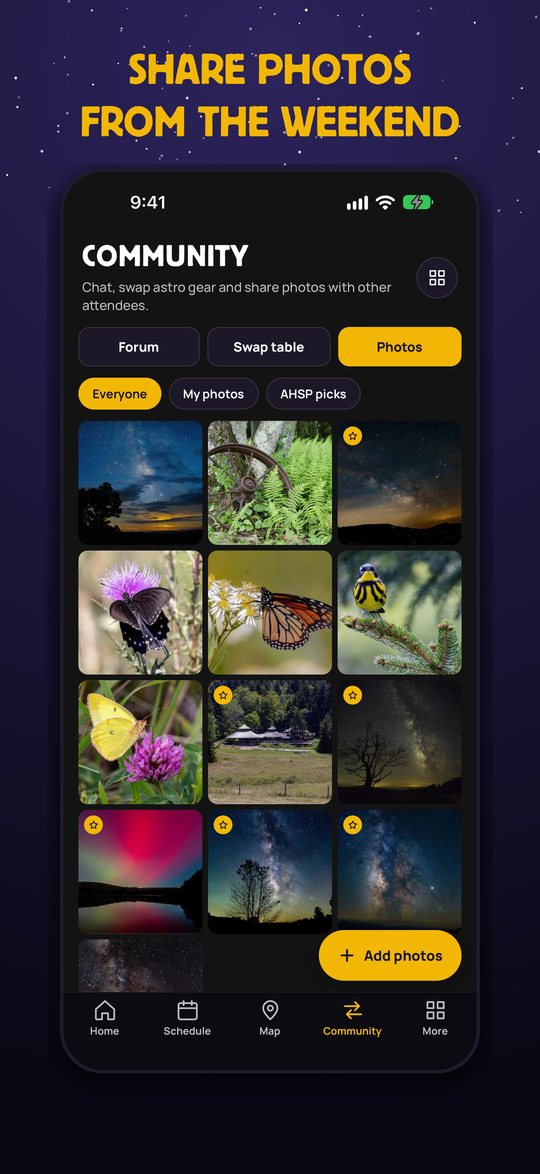
Photos
Share pictures from the weekend. Pinch or double-tap to zoom, swipe up or down to close, and add a link to the full-size version on AstroBin or another photo site.
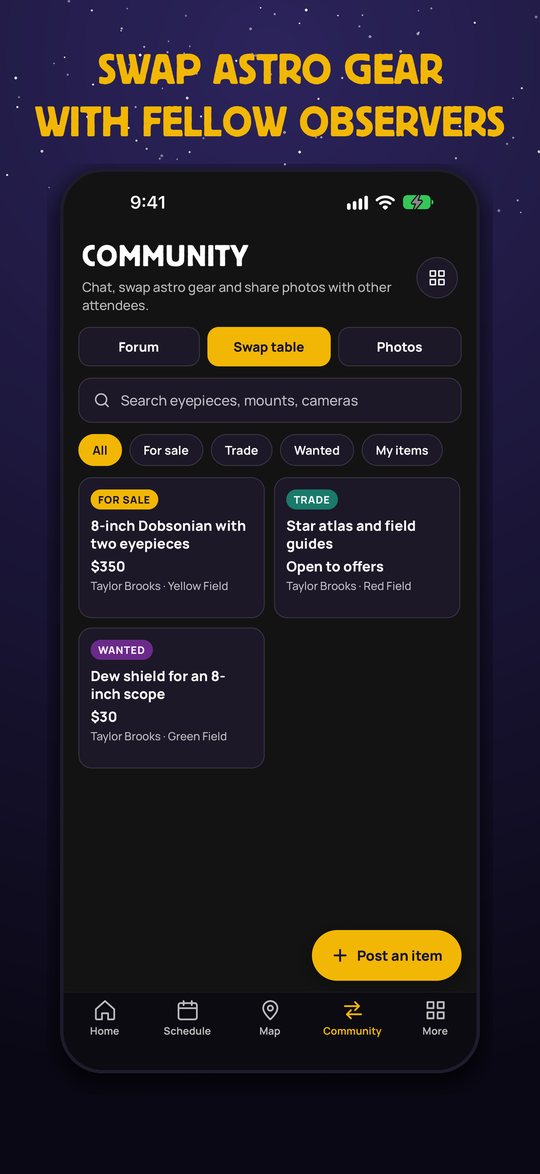
Swap table
List astro gear to sell, trade or find, with photos, and message other attendees. Search by eyepiece, mount or camera.
Take a look
Swipe through some of the screens.
Screens shown with sample content.
How to use it
Five minutes at home will save you a lot of time on the mountain.
Install it and open it once at home
Get it from the App Store. The first time you open it with a connection, it saves the schedule, the field map and the information pages to your phone. After that they work with no signal at all. Open it again before you leave for the mountain so you have the latest.
Plan your weekend
Open Schedule, pick a day and tap the star on anything you want to attend. Your picks collect under My plan. Filter by meals, observing, talks and more.
Check the sky
On Home, tap the weather tile for the full forecast and the night strip. Pick a night to see it hour by hour, from a couple of hours before dark until dawn. Pull down on any screen to refresh.
Find your way at the field
Open Map and tap Find me. Switch between the overlay, the aerial photo, the street map and the drawing. The Drive to SKMC buttons open Google Maps, Apple Maps or Waze. Cell GPS drops out near Green Bank, so save your directions before you leave.
Turn on Night mode and alerts
The moon button on Home switches to red light. The bell lets you choose which alerts you want and set quiet hours. Allow notifications when your phone asks.
Join the community
Open Community and sign in with the email you registered with. There are no passwords: we email you a code, or you can enter the registration code from your confirmation email to be approved straight away. Without the code, an organizer approves you by hand.
Questions
Does it cost anything?
No. The app is free, and so is everything in it.
Do I need an account?
Only for the community (forum, photos and swap table). The schedule, map, forecast, information pages and alerts work without signing in.
Does it really work with no cell signal?
Yes, once you have opened it with a connection. The schedule, field map and information pages are saved on your phone, and Find me uses GPS, which does not need cell service. The live weather and the community need a connection to update, so give them a moment when you are back in range.
Is there an Android version?
It is in the works. We will announce it here as soon as it is ready.
What does the app do with my location?
It uses your location only on your phone to draw the “you are here” dot on the field map. It is never sent to us. We do not track you or show ads. See the privacy policy.
My sign-in is waiting for approval. What now?
If you did not enter a registration code, an organizer approves new members by hand. Check your registration confirmation email for the code and try again, or contact us and we will approve you.
How do I report something or delete my account?
Every post, photo and swap item has Report and Block. Two independent reports hide an item until an organizer reviews it. You can delete your account at any time from the Community menu.
Something is not working. Who do I tell?
Please contact us with your phone model and a short description. It helps a lot.
See you on the mountain
Almost Heaven Star Party runs September 2–6, 2027 at Spruce Knob Mountain Center, West Virginia. Planning your trip has everything the app does not.